> ## Documentation Index
> Fetch the complete documentation index at: https://cometchat-22654f5b-feature-react-native-flag-and-channel.mintlify.site/llms.txt
> Use this file to discover all available pages before exploring further.

# Customizing UI With Theming

Theming allows you to define the **look and feel** of your app by adjusting **colors, fonts, and other styles**. Using **CSS variables**, you can create a consistent and **on-brand** chat experience.

***

## **Importing the Stylesheet**

To enable theming, first, **import the base stylesheet** containing default styles and variables.

<Tabs>
  <Tab title="App.css">
    ```css theme={null}
    @import url("@cometchat/chat-uikit-react/css-variables.css");
    ```
  </Tab>
</Tabs>

***

## **Global Theming with CSS Variables**

Customize the **entire chat UI** by overriding CSS variables in your **global stylesheet**.

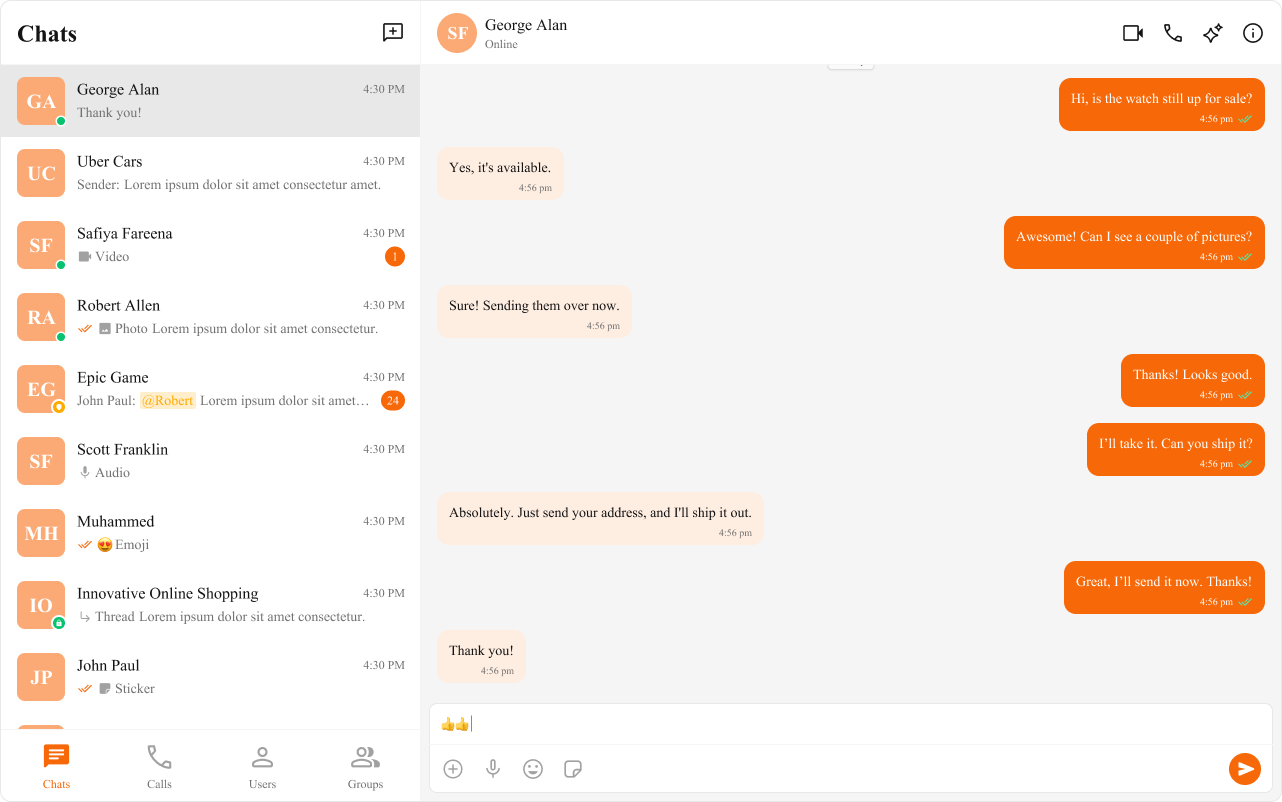
### **Example: Changing Colors & Fonts**

The following **CSS variables** customize colors, fonts, and other elements.

<Frame>
  <img src="https://mintcdn.com/cometchat-22654f5b-feature-react-native-flag-and-channel/RuhWXCVpuM9mMUiV/images/37d11669-theming_global_css_custom-2574c11cb6d3d362fcb498d8fa613afd.png?fit=max&auto=format&n=RuhWXCVpuM9mMUiV&q=85&s=59414464d24d49a5b569386ac751cd19" width="1282" height="802" data-path="images/37d11669-theming_global_css_custom-2574c11cb6d3d362fcb498d8fa613afd.png" />
</Frame>

<Tabs>
  <Tab title="App.tsx">
    ```tsx theme={null}
    import { useEffect } from "react";

    const App = () => {
      useEffect(() => {
        document.documentElement.style.setProperty(
          "--cometchat-font-family",
          "'Times New Roman'"
        );
      }, []);

      return <div className="cometchat-root">{/* Your chat UI here */}</div>;
    };

    export default App;
    ```
  </Tab>

  <Tab title="App.css">
    ```css theme={null}
    .cometchat {
      --cometchat-primary-color: #f76808;
      --cometchat-neutral-color-300: #fff;
      --cometchat-background-color-03: #feede1;
      --cometchat-extended-primary-color-500: #fbaa75;
      --cometchat-icon-color-highlight: #f76808;
      --cometchat-text-color-highlight: #f76808;
    }
    ```
  </Tab>
</Tabs>

***

## **Component-Specific Theming**

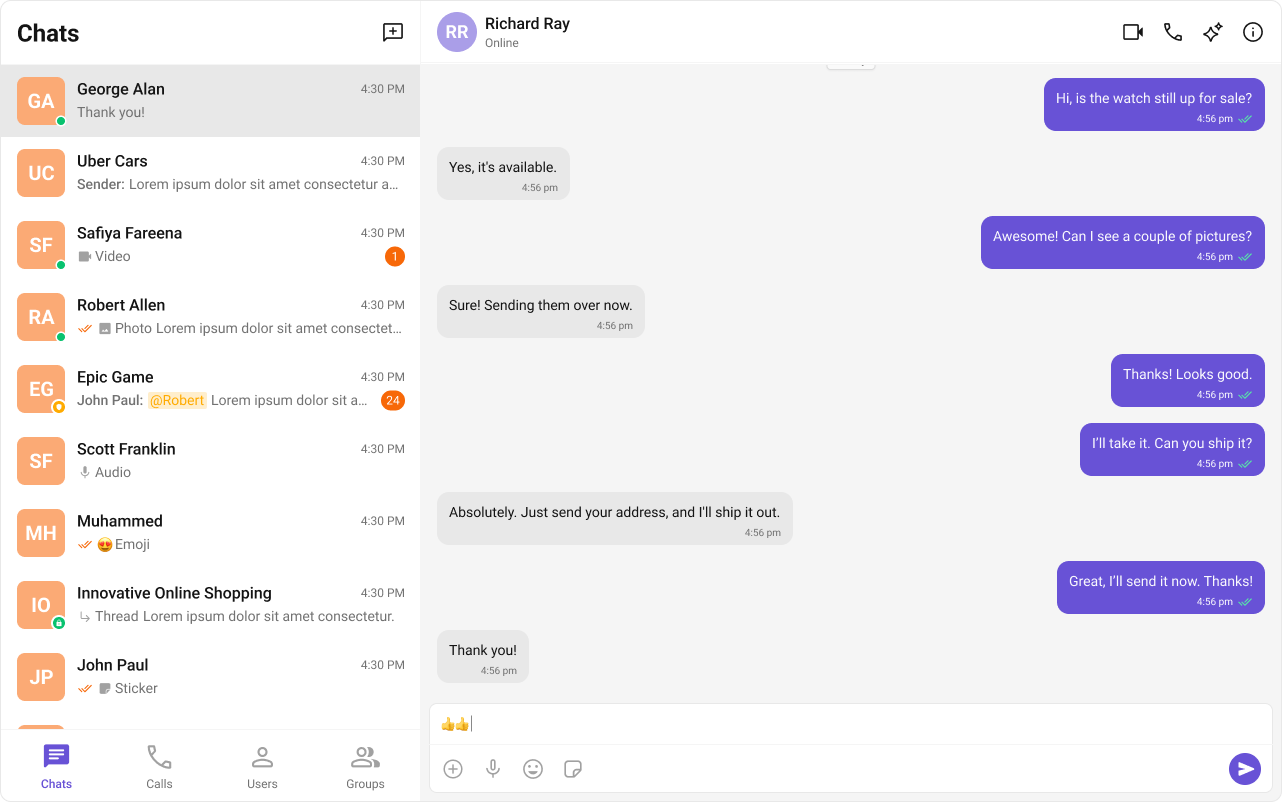
Want to apply **different styles to specific components**? Override **CSS variables within the component’s class**.

<Frame>
  <img src="https://mintcdn.com/cometchat-22654f5b-feature-react-native-flag-and-channel/goIES1M0KlwXDL-c/images/e70eabdc-theming_component_wise_css_custom-cdacb569db3c0daa22cfe51c6f2ae93f.png?fit=max&auto=format&n=goIES1M0KlwXDL-c&q=85&s=862e5894f9a88cc4a407fd2bb113a9c5" width="1282" height="802" data-path="images/e70eabdc-theming_component_wise_css_custom-cdacb569db3c0daa22cfe51c6f2ae93f.png" />
</Frame>

<Tabs>
  <Tab title="App.css">
    ```css theme={null}
    .cometchat .cometchat-conversations {
      --cometchat-primary-color: #f76808;
      --cometchat-extended-primary-color-500: #fbaa75;
      --cometchat-text-color-highlight: #ffab00;
      --cometchat-message-seen-color: #f76808;
      --cometchat-radius-max: 12px;
    }
    ```
  </Tab>
</Tabs>

***

## **Advanced Customization with CSS Overrides**

For full control over component styling, use **CSS overrides**.

<Tabs>
  <Tab title="App.css">
    ```css theme={null}
    .cometchat-conversations .cometchat-avatar,
    .cometchat-conversations .cometchat-avatar__image {
      border-radius: 12px;
    }
    ```
  </Tab>
</Tabs>

***

## **Dark & Light Theme Support**

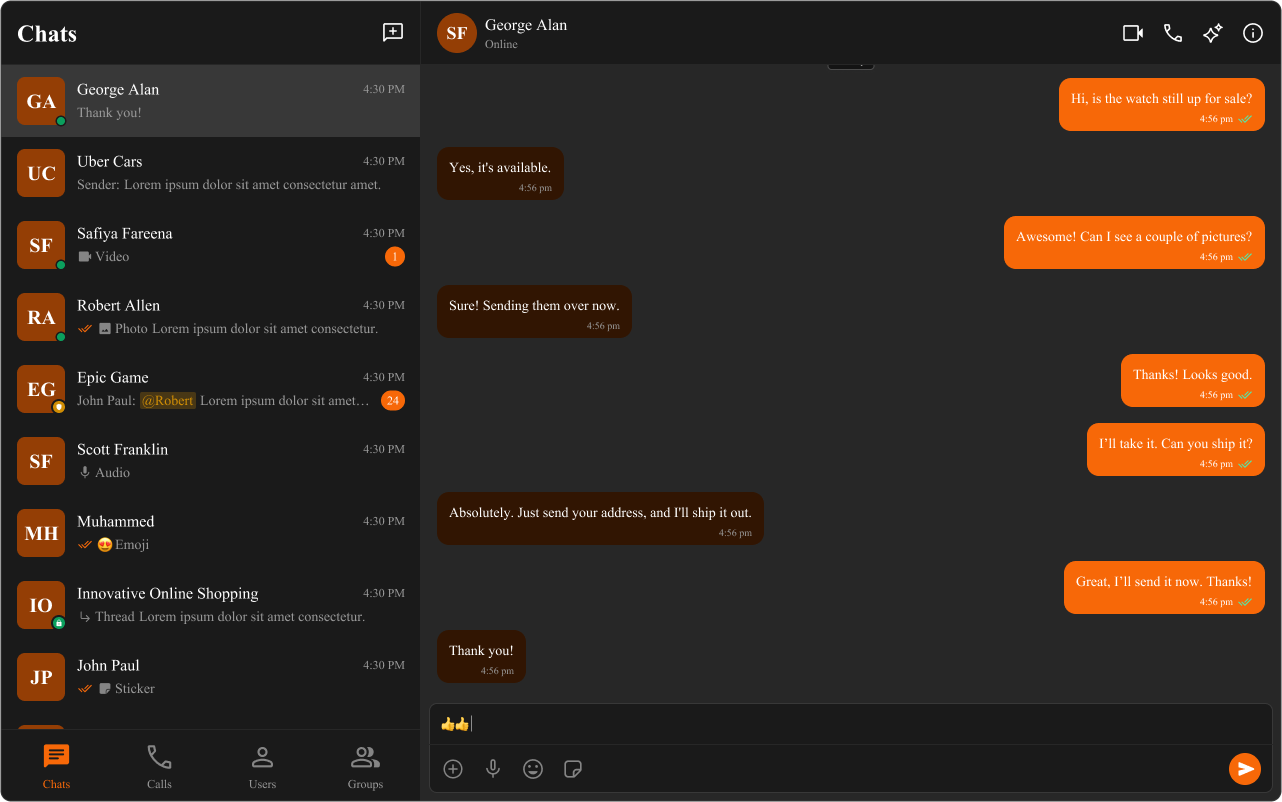
You can **switch** between light and dark modes.

### **Example: Enabling Dark Mode**

<Frame>
  <img src="https://mintcdn.com/cometchat-22654f5b-feature-react-native-flag-and-channel/RuhWXCVpuM9mMUiV/images/3a7b0c73-theming_dark_mode_default-fff438886065da229f12cfb3b8904f27.png?fit=max&auto=format&n=RuhWXCVpuM9mMUiV&q=85&s=a9376cf3d5e804278786ccbc29ffba7d" width="1282" height="802" data-path="images/3a7b0c73-theming_dark_mode_default-fff438886065da229f12cfb3b8904f27.png" />
</Frame>

<Tabs>
  <Tab title="App.tsx">
    ```tsx theme={null}
    import { useEffect, useState } from "react";

    const App = () => {
      const [theme, setTheme] = useState("light");

      useEffect(() => {
        const mediaQuery = window.matchMedia("(prefers-color-scheme: dark)");
        setTheme(mediaQuery.matches ? "dark" : "light");

        const handleThemeChange = (e: MediaQueryListEvent) => {
          setTheme(e.matches ? "dark" : "light");
        };

        mediaQuery.addEventListener("change", handleThemeChange);
        return () => mediaQuery.removeEventListener("change", handleThemeChange);
      }, []);

      return <div className="cometchat-root" data-theme={theme}>{/* Chat UI here */}</div>;
    };

    export default App;
    ```
  </Tab>
</Tabs>

***

## **Customizing Light & Dark Theme**

Define different **color schemes** for **light and dark modes**.

<Frame>
  <img src="https://mintcdn.com/cometchat-22654f5b-feature-react-native-flag-and-channel/1IePOtRmrRJHzgYL/images/48cb156f-theming_dark_mode_custom-67a196da9f0a1f88f5c1e81fed12f7f4.png?fit=max&auto=format&n=1IePOtRmrRJHzgYL&q=85&s=d65fad655b0c4d30f97486638646dd33" width="1282" height="802" data-path="images/48cb156f-theming_dark_mode_custom-67a196da9f0a1f88f5c1e81fed12f7f4.png" />
</Frame>

<Tabs>
  <Tab title="App.css">
    ```css theme={null}
    /* Default (Light) Theme */
    .cometchat {
      --cometchat-primary-color: #f76808;
      --cometchat-neutral-color-300: #fff;
      --cometchat-background-color-03: #feede1;
      --cometchat-extended-primary-color-500: #fbaa75;
      --cometchat-icon-color-highlight: #f76808;
      --cometchat-text-color-highlight: #f76808;
    }

    /* Dark Theme */
    @media (prefers-color-scheme: dark) {
      .cometchat {
        --cometchat-primary-color: #f76808;
        --cometchat-neutral-color-300: #311502;
        --cometchat-background-color-03: #451d02;
        --cometchat-extended-primary-color-500: #943e05;
        --cometchat-icon-color-highlight: #f76808;
        --cometchat-text-color-highlight: #f76808;
        --cometchat-message-seen-color: #f76808;
        --cometchat-neutral-color-50: #1a1a1a;
      }
    }
    ```
  </Tab>
</Tabs>

***

## **📚 Helpful Resources**

Enhance your design and development workflow with the following resources:

<CardGroup>
  <Card title="📦 UI Kit Source Code">
    Explore the complete list of color variables and hex values on GitHub.

    [View on GitHub](https://github.com/cometchat/cometchat-uikit-react/blob/v6/src/styles/css-variables.css#L198-L419)
  </Card>

  <Card title="🎨 Figma UI Kit">
    Access the Figma UI Kit for a fully integrated color palette and seamless customization.

    [View on Figma](https://www.figma.com/community/file/1442863561340379957/cometchat-ui-kit-for-web)
  </Card>
</CardGroup>